Showing posts with label Microsoft. Show all posts

Sunday, August 19, 2012

Cathedrals, Bazaars, and Data

According to Eric Raymond, with enough eyeballs, all bugs are shallow. This is the secret to the success of open source software. Linus Torvalds' primary innovation wasn't so much creating Linux as the development model surrounding it: get something out there, get people using it, and have them be your testers / contributors. That is, make users co-owners, not just consumers. Raymond compares open source software development to a bazaar, as opposed to a building a cathedral.

I've been using Linux and open source software for more than a decade, but I've always been a bit wary of open source databases. Do you really want a fail early/often approach when dealing with people's data? Oracle has made a killing off of Data Fear. After all, can you promise 99.999% uptime with an unproven system? Open source might be fine for startups, but is it fit for enterprise?

PostgreSQL seems to merit the hype. Even SQL Server DBAs like it. I don't have experience with it on the enterprise, but I'm impressed so far. I believe that it's a tested solution, and I really like its extensibility. Anyone can create any kind of extension, such as an Amazon Web Services interface or K Nearest Neighbor mapping.

As a .Net/SQL Server developer, however, I have some concerns.

First, is free really free? SQL Server Enterprise is $6,874 per core. Oracle Enterprise is $47,500 (though Standard Edition One is only $5,800). That's nothing to sneeze at. I don't know Oracle that well, but with SQL Server, you get a whole suite of technologies--ETL (SSIS), data warehousing (SSAS), and reporting (SSRS) in particular. You get a number of disaster recovery options, like 2012's AlwaysOn.

By default, PostgreSQL works from the command line. You can download PGAdmin, but Navicat costs money. Graphical ETL tools? I don't think so. Reporting? You'll probably have to spring for Crystal reports. Data Warehousing? I hear Pentaho is a pain. It would be hard to keep PostgreSQL free--at least in an enterprise environment.  If you're just doing CRUD for a web UI, you're probably ok--for a while.

The second thing that makes me nervous is the ridiculous number of open source technologies out there. The principle of open source is to 'let a thousand flowers bloom,' but in practice this means playing around with a whole lot of different products and figuring out how they can fit together. It seems like chaos. Microsoft is known for its Three Letter Acronyms (TLAs), but at least everything fits together pretty well.

Finally, because of the complexity of open source solutions, I can't imagine they'd be easy to maintain. Most companies now outsource common DBA and production support tasks. If you're running a PostgreSQL OLTP system with a MongoDB document store and Hadoop web logging, you'll have trouble getting Tata to maintain that for you. Even if you're not interested in outsourcing, it is useful to have standards and best practices across companies.

Of course, it's the innovative start-ups that are using new open source technologies to do new things.  This is one of the main factors that helps them be innovative. They don't want to be standardized. They want to be part of the bazaar of new tech IPOs, rather than the cathedrals of established companies--at least until they have enough users for the cathedrals to buy them.

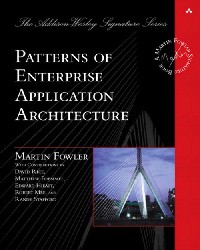
Anyway, I'm having a lot of fun.  Check out my new favorite book.

Sunday, May 6, 2012

Data Staging

The best image I could find?
In Extract, Transform, & Load ETL processes, you might save the data you are extracting to a temporary location and in an unadulterated state. This is called staging the data. Staging is an interesting word. It's a synonym for scaffolding, or a temporary support for something else, such as a career in cooking, a cancer treatment, or a rocket's trajectory. In this case, data staging is a preparation for data that has the format, structure, and purity you want. A data mart is a stage for a data warehouse.

Staging could seem like a bad idea for a number of reasons. First, you're duplicating data. Duplication is almost always a bad word when it comes to data, but staged data should not be used for anything besides staging and perhaps reporting. Still, it requires space, which can be a precious thing even when space is so cheap.

Second, staged data must be written to disk and then read from before doing the final transformations. You're effectively doubling your disk I/O. If the amount of data is significant, this could be a lot of reads and writes.

Written in 2010, a product of experience
These are real trade-offs, but there are a number of reasons to stage, some of which did not occur to me before reading Microsoft SQL Server 2008 Integration Services: Problem-Design-Solution, an excellent book on SSIS best practices by MVP's Erik Veerman, Jessica Moss, Brian Knight, and Jay Hackney.

  • Data Lineage - When you run into data purity issues in production, the first question your production support team will ask is, "Where did this data come from?" A staging area provides means of tracking the import of data and may allow you to run subsequent transformations in a temporary transaction so that you can identify duplicates, null values, or other data purity issues. You will need to keep data around for enough time for such problems to be identified and addressed.

  • Restartability - Jobs fail. The last thing you want to have happen at 3 AM during a conversion process is a job failure (yes, this has happened to me). A staging area should help you restart the job halfway through, after the necessary corrections have been made. This assumes you run your transformations in a transaction, which you are doing, right?

  • Source Alternative - A staging area can act as a reporting environment when your source system is highly transactional or under significant strain. Just make sure you're not doing any writes to stage.

  • Archive - Stage can also be an archive system, which may be useful if your destination system becomes corrupt and needs to be rebuilt. For instance, a data warehouse updated by incremental loads could be rebuilt by running through all transactions. I haven't run across this in practice, though.

  • Performance - Finally, an ETL process might perform best with staged data. Though SSIS can buffer data flows, databases can often sort and aggregate data faster and with less resource load.

As always, there are no universal solutions to data architecture. Don't stage data just for the sake of staging data. You'll have to weigh the pro's and con's according to your business, technology, QA, and production support needs.

Sunday, April 22, 2012

Bigger Faster Stronger

Scalability is one of those words that everyone uses but few understand. It's a measure of how adding resources (typically hardware) affects performance. You can scale vertically by increasing the power of a server. You can scale horizontally by adding servers. The scalability of a system depends on how performance is defined. Martin Fowler suggests a few categories:
Expect more posts on this one
  • Response time, or the amount of time it takes to process a request
  • Responsiveness, or the amount of time it takes to acknowledge a request
  • Latency, or the amount of time it takes to get a response (this is especially important when there is no data to return)
  • Throughput, such as transactions / second
  • Load, or the amount of stress a system is under
  • Load Sensitivity, or response time / load
  • Efficiency, or performance / resources
  • Capacity, as in maximum throughput or load

Systems must be designed to scale, but what scaling means will depend upon the purposes for which a system is built. It might be tempting for database professionals to think about scalability in terms of transactions / second or the number of active accounts. But what really matters is whether or not the system is usable given an increase in transactions or accounts, and this depends upon the use for which the system was created. If we're talking about an e-Commerce system, throughput is probably more important than response time, as long as responsiveness is high. If we're dealing with a manufacturing system, we'll probably be most interested in throughput.

It's important to design systems to be scalable. The Internet has increased adoption rates to unprecedented rates. Consider Instagram, which has 30 million users after 2 years. Draw Something had 36 million users in three weeks. Scalability is a prerequisite for virality.

In the case of N-tier applications which have a Service-Oriented Architecture, it's usually easy to add hardware to the web and application servers. Load balancers and web farms can take care of extra load by distributing it evenly across a number of servers. The real problem is, as always, the database layer.

You can't just add servers to the database layer, because databases must be architected across multiple database servers. Concurrency adds to the difficulty, as database transactions must be ACID (atomic, consistent, isolated, and durable). In other words, you have to manage updates to multiple servers, making sure that an update to Server 2 does not depend on Server 1.

Lighting bolts make it faster
I thought the Cloud might be the solution to database scalability, but Microsoft Azure currently supports databases of only 150 GB in size. In talking with Microsoft consultants, they recommend 'sharding' databases. This means having a master database that directs transactions to the appropriate database server. For instance, all transactions dealing with North American accounts should go to Server 1, South America to Server 2. Sharding adds a layer of abstraction and a layer of complexity, and it requires duplication of database schema, but it's an increasingly popular approach.

Another option is Oracle's RAC system or Microsoft's MatrixDB, which has basically been ported to Azure. I'm skeptical that MatrixDB will make it in to the next edition of SQL Server (2012 has AlwaysOn, which is close, but the mirrors are read-only). In RAC or MatrixDB, databases are replicated across multiple servers and a load balancer directs reads and writes to the server with the least load. Changes are replicated asynchronously between database servers. Still, there are limitations to the size of databases for which this would be feasible.

Relational databases are great up to a certain size (though this is growing, thanks to SSD's and improved caching). It's hard to say exactly what this size is. In the end, scalable databases adhere to principles of normalization and partitioning. After a certain amount of data, RDMS's will be of no use, and NoSQL solutions are the answer to a different problem. Are you ready to scale?

Sunday, January 1, 2012

On Certification

The start of a new year is always a good time to think about where you've been and where you're going. One thing on my mind lately has been certification. I earned five Microsoft certifications in the last year and a half, and I could get a few more, but I was not sure it would be worth the time and the effort. After much deliberation, I decided that I would round out my .NET and SQL certifications for the following reasons.

It's official
First, the exams are great for resumes. Let's face it--the people looking at your resume first are not going to be programmers. Certifications are one more thing to help you stand out, both because they show a knowledge of subject material and a drive to succeed that extends beyond the standard working hours. Furthermore, the exams prepare you for the technical portion of interviews. If you're up for a database job, and you can talk at length about partitioning, pivot statements, statistics, message queueing, server specs, and maintenance plans, you'll be a very strong candidate, no matter how much experience you have.

But the main reason I decided to keep at it is that certifications focus your studies. It's easy to read random programming books on a lot of different subjects, but you're not likely to retain the knowledge if you don't have to prove it in some way. This is the whole reason college was invented. One way of proving yourself after college is through side projects. Another is certification. Of course, whatever you can do to stretch yourself beyond your comfort zone is a good thing. I do this in a variety of ways, one of which is certification. (This blog is another!)


Another kind of certification

Some people scoff at certifications, and they're not always worth the effort. Make sure that a test will actually be relevant to your work, or at least the work you hope to get. Even though I code a lot in ASP.NET, the .NET Web Applications Development exam was not very useful, since I don't do much JQuery or MVC. It was hard to practice the materials, and I doubt I've retained much knowledge. Make sure you understand what skills are being tested.

One shouldn't forget the cost either. None of the tests have been easy, and failing them can be pretty costly, in terms of both time and money. I know plenty of very smart people who just aren't great test-takers. The whole process can be very frustrating, starting with figuring out what test you should actually take. But it should get easier after your first one.

Are there any other pro's or con's I missed?
Related Posts Plugin for WordPress, Blogger...